
AI Study Planner: How to Build a Study Schedule That Actually Works
An AI study planner turns your subjects, deadlines, and free hours into a day-by-day study schedule in minutes — the kind of plan that would take you most of an evening to build by hand. A good AI study planner does the scheduling math for you, but it does not do the studying: it decides when you work on what, and you still show up for the sessions.
That split is exactly what it fixes. Most study plans fail because they are guessed, front-loaded, or abandoned after a week; an AI planner spreads your work across days using spaced repetition so material has time to sink in instead of being crammed the night before.

What an AI study planner does
At its core, an AI study assistant takes what you already know about your term — courses, exam dates, the hours you can actually spare — and returns a calendar of study blocks. It is not a static template you fill in; it adapts the plan to your real constraints and rebalances when they change.
From subjects and deadlines to a schedule
Give it your courses, exam dates, and available hours, and the AI study schedule generator produces a plan that says “Tuesday 6–7 p.m.: organic chemistry, chapter 4.” Because it works from your inputs, the schedule reflects your workload rather than a one-size-fits-all week.
Why a plan beats cramming
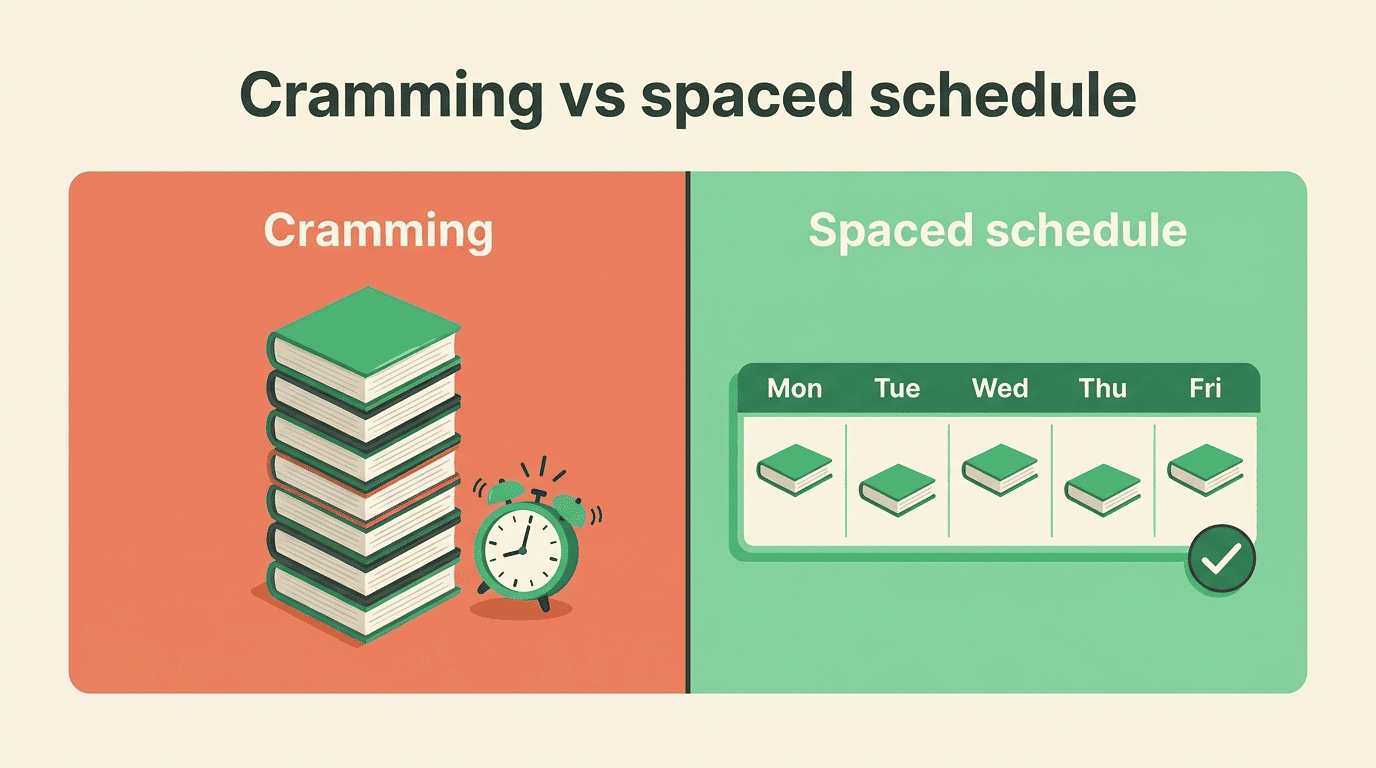
Spreading practice out beats piling it into one long session — a finding known as distributed practice. An AI planner bakes that in automatically by placing shorter sessions for the same subject across several days, which is hard to do by hand without a spreadsheet and a lot of patience.
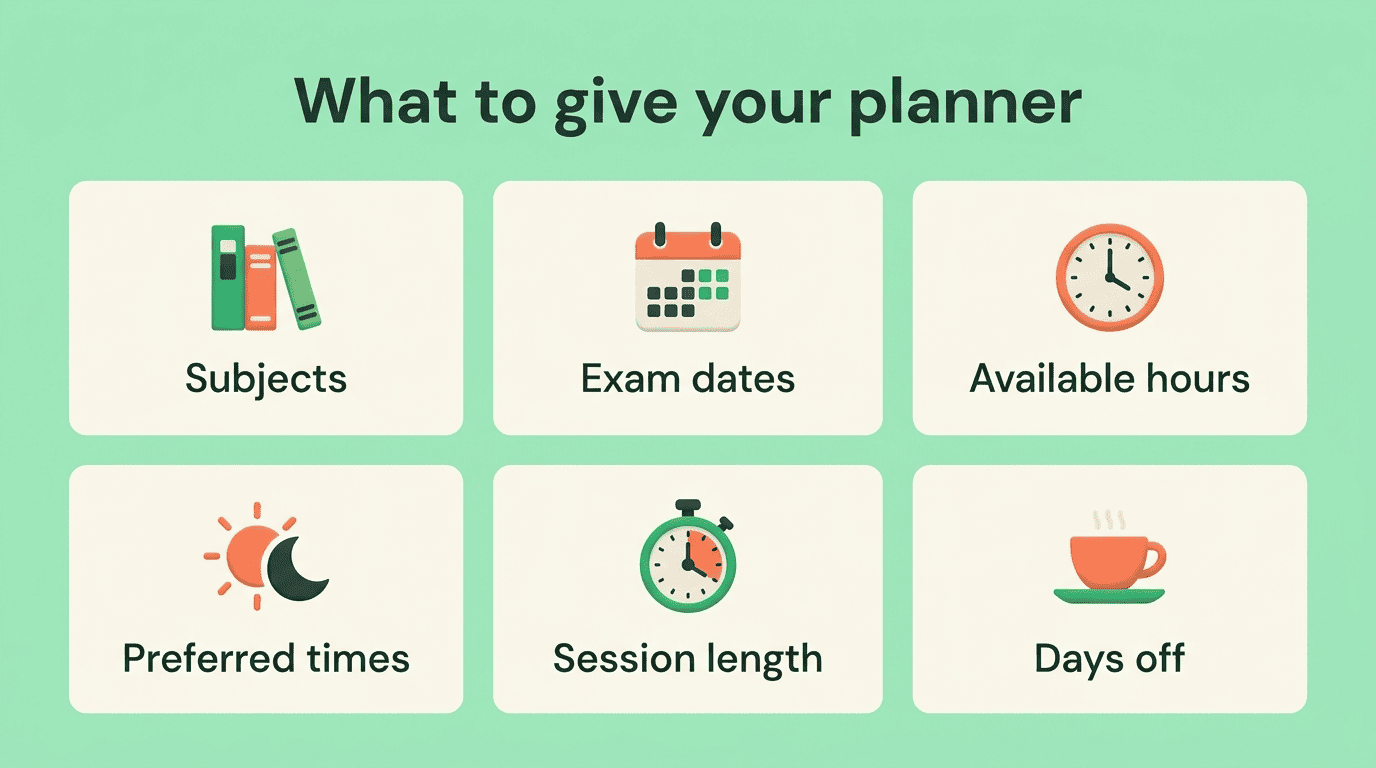
What to give an AI study planner
The quality of your schedule depends entirely on what you feed the planner. Vague input produces a vague plan.
| Input | Why it matters |
|---|---|
| Courses / subjects | Defines what needs blocks at all |
| Exam dates & deadlines | Anchors the plan; sets urgency |
| Available hours per day | Keeps the plan realistic, not aspirational |
| Preferred study times | Puts hard work when you focus best |
| Session length | Sets block size (e.g. 25–50 minutes) |
| Days off | Prevents burnout and no-shows |
The inputs that matter
List every course, then every fixed commitment — classes, work shifts, sleep, meals, clubs. What is left is your real study budget. Planners built on guessed availability collapse in the first week because the hours were never there.
Rank by difficulty and urgency
Rate each course on difficulty from 1 to 5 and urgency from 1 to 5. The planner uses those scores to give a hard subject with a near exam more blocks than an easy one due in a month — the single change that most improves a generated schedule.
How to build your study schedule with AI (step by step)
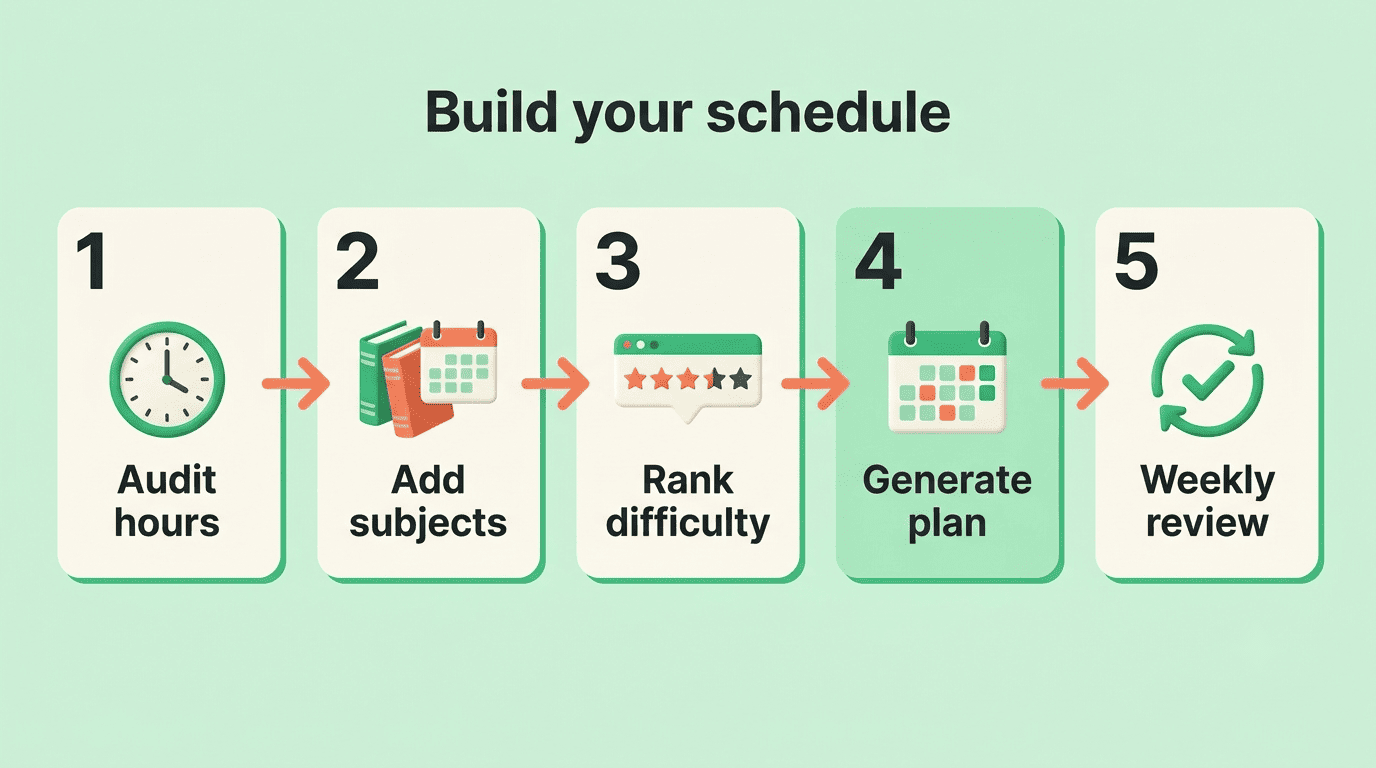
You can go from a blank week to a working plan in about ten minutes:
- Audit your commitments. Write down classes, work, sleep, and standing obligations to find your true free hours.
- List your subjects with their exam dates and assignment deadlines.
- Rank each subject by difficulty (1–5) and urgency (1–5).
- Prompt the planner with those subjects, your available hours, preferred times, and session length.
- Read the draft schedule and adjust anything unrealistic before you commit.
- Sync the blocks to your calendar so they collide with nothing.
- Run a weekly review and let the planner rebalance around what actually happened.
The weekly review in step seven is what separates a plan you keep from one you abandon — a schedule is a living document, not a one-time export.
The method behind a good schedule
An AI study planner is only as good as the learning science it encodes. Three ideas do most of the work.
Practice testing and distributed practice received high utility assessments because they benefit learners of different ages and abilities and have been shown to boost students’ performance across many criterion tasks.
Dunlosky et al., Psychological Science in the Public Interest
Spaced repetition, not marathon sessions
Instead of a single four-hour block before the exam, the planner distributes a subject across shorter sessions over several days. Each return trip to the material strengthens memory, which is why spaced review consistently outperforms cramming.
Focus blocks (Pomodoro)
Long stretches drain attention, so many planners schedule work in short focused intervals. The Pomodoro Technique — 25 minutes of focus followed by a short break — is a common default because it keeps sessions sharp and easy to start.

Leave a buffer
Do not schedule every free hour. A practical rule is to plan roughly 70–80% of your available time and leave the rest as flex for spillover, sick days, and life. A packed schedule with no slack breaks the moment one session runs long.
Plan types: weekly, semester, and finals week
The same planner produces different shapes of plan depending on your horizon, and good time management means matching the plan to the moment.
| Plan type | Best for | How it is built |
|---|---|---|
| Weekly | Steady coursework | Recurring blocks around your fixed week |
| Semester | Long courses, big exams | Milestones back-planned from exam dates |
| Finals week | Exam crunch | Front-loaded review, protected sleep |
Weekly and semester plans
A weekly plan is a repeating template of blocks anchored to your classes. A semester plan works backward from each exam date, dropping milestones — “finish chapter 6 by week 9” — so nothing piles up at the end.
Finals-week crunch plan
For finals, the planner front-loads review, schedules a spaced pass over every subject, and — critically — protects sleep. Trading rest for one more hour of cramming is the classic mistake a good schedule refuses to make for you.
Which tools build study schedules
There is no single right app; the best choice depends on whether you want a quick chat or a dedicated system.
General assistants. ChatGPT and similar tools build a weekly plan straight from a prompt — free, flexible, and no extra app to install. Describe your courses, hours, and deadlines and paste the result into your calendar.
Dedicated planners and calendar apps. Purpose-built study planners auto-generate blocks and track what you have completed; calendar apps like Google Calendar can auto-block study time around your classes. A dedicated AI study assistant such as Theo on aistudy is built to draft the plan, quiz you on the material, and adjust the schedule with you as the term moves.
Make the schedule stick (and use it honestly)
A perfect plan you ignore is worthless, so the last step is designing for follow-through.
Habits that keep you on plan
A few habits do most of the work:
- Run a short weekly review and rebalance around reality.
- Keep the 70–80% buffer so one overrun does not topple the week.
- Anchor blocks to fixed points — “right after lunch” beats “sometime Tuesday.”
- Track completion so you can see the plan working.
Help, not a substitute
An AI planner organizes your time and can quiz or summarize to make the sessions productive, but it does not do your graded work and it is not a way to outsource assignments. You still study; the tool just makes sure the hours are in the right place. Because policies on AI use differ by school and instructor, check your course guidelines before leaning on any tool.