
AI Study Assistant: How It Works and What It Does
If you have ever wished you could turn a 40-page lecture PDF into flashcards, a quiz, and a plain-English explanation in seconds, that is roughly what an AI study assistant does. These tools read your own course material and generate study aids from it — and under the hood they are the consumer descendants of the intelligent tutoring system, an idea researchers have chased since 1970.

This guide keeps two things separate that most people blur together: what an AI study assistant does (the features you see) and how it works (the technology underneath). It also draws the line honestly — where the tool helps you learn, and where it would just be doing the work for you.
What an AI study assistant is
An AI study assistant is software that uses artificial intelligence to help you understand and remember material. You give it your notes, slides, or a textbook chapter; it gives you back summaries, questions, and explanations built from that content.
The idea is older than ChatGPT. In 1970, researcher Jaime Carbonell argued that a computer could act as a teacher rather than a passive tool, launching the field of intelligent tutoring systems (ITS). The goal then was the same as it is now: replicate the benefits of one-to-one tutoring for students who otherwise only get one-to-many classroom instruction — or no tutor at all. A modern AI study tool is that goal made cheap and available to anyone with a phone.
It helps to say what an AI study assistant is not. It is not a generic chatbot you throw random questions at. A study assistant is anchored in your material and organized around studying — testing you, tracking what you find hard, and spacing your review — rather than open-ended conversation.
What an AI study assistant does
The practical value shows up the moment you upload a file. From a single PDF or set of notes, a good AI study helper produces several distinct study aids.
It summarizes. It condenses a long chapter into the handful of concepts that actually matter and reorganizes messy notes into a clean study guide.
It generates flashcards and practice tests. It writes question-and-answer flashcards and multiple-choice or short-answer quizzes so you can test yourself instead of re-reading.
It explains, on demand. It re-states a hard concept in simpler language, shows worked steps, and answers your follow-up questions at any hour and at your own pace — the “24/7 tutor” role.
It plans your time. It can build a study schedule around your deadlines and break the material into milestones.
Here is how those features map to what you upload and why each one helps:
| Feature | What you get | Why it helps |
|---|---|---|
| Summary / study guide | Key points from a chapter | Cuts reading time, shows the structure |
| Flashcards | Q&A cards from your notes | Forces recall, not recognition |
| Practice quiz | Auto-graded questions | Self-testing before the real exam |
| AI tutor | Plain-language explanations | Unblocks you on hard concepts |
| Study schedule | Milestones by deadline | Spaces your work out over time |
How an AI study assistant works
Behind that tidy list of features is a fairly simple four-step pipeline. Understanding it also tells you where the tool can go wrong.
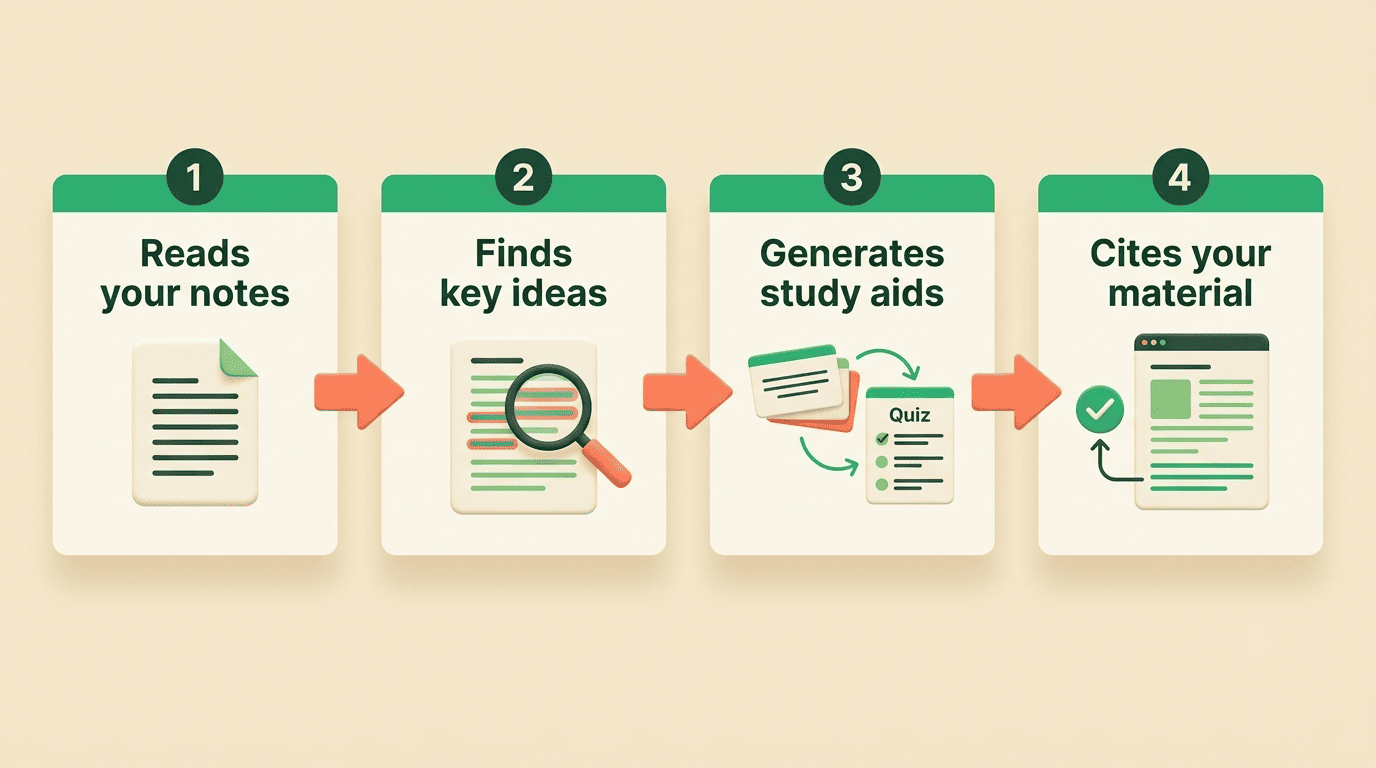
Step 1 — It reads your material
The assistant uses natural language processing (NLP) to parse your uploaded PDF, slides, or typed notes into text it can work with. This is the same technology that lets it “read” a page about cellular biology or a set of literature notes.
Step 2 — It finds what matters
Machine-learning models trained on huge amounts of text spot the important concepts, definitions, and relationships in your material — the things worth turning into a flashcard or a quiz question.
Step 3 — It generates study material
A large language model (LLM) writes the output: the summary paragraph, the flashcard, the quiz question, or the explanation, all in natural language. This is the generative step you actually see.
Step 4 — It stays grounded
The best assistants use your course text as the primary source and cite the section an answer came from, instead of answering from the open internet. In classic intelligent-tutoring terms, the system combines four parts:
- Domain model — the subject knowledge it teaches from.
- Student model — what you already know and where you struggle.
- Tutor model — the rules for how and when to respond.
- Interface — the chat window and upload box you actually use.
The study methods that make it work
Here is the part most feature lists skip: the flashcards and quizzes are not helpful because they are made by AI. They are helpful because they force two study methods that cognitive science has backed for decades — active recall (pulling an answer from memory) and spaced repetition (revisiting material over increasing intervals). Re-reading feels productive but is weak; retrieving is what builds durable memory.
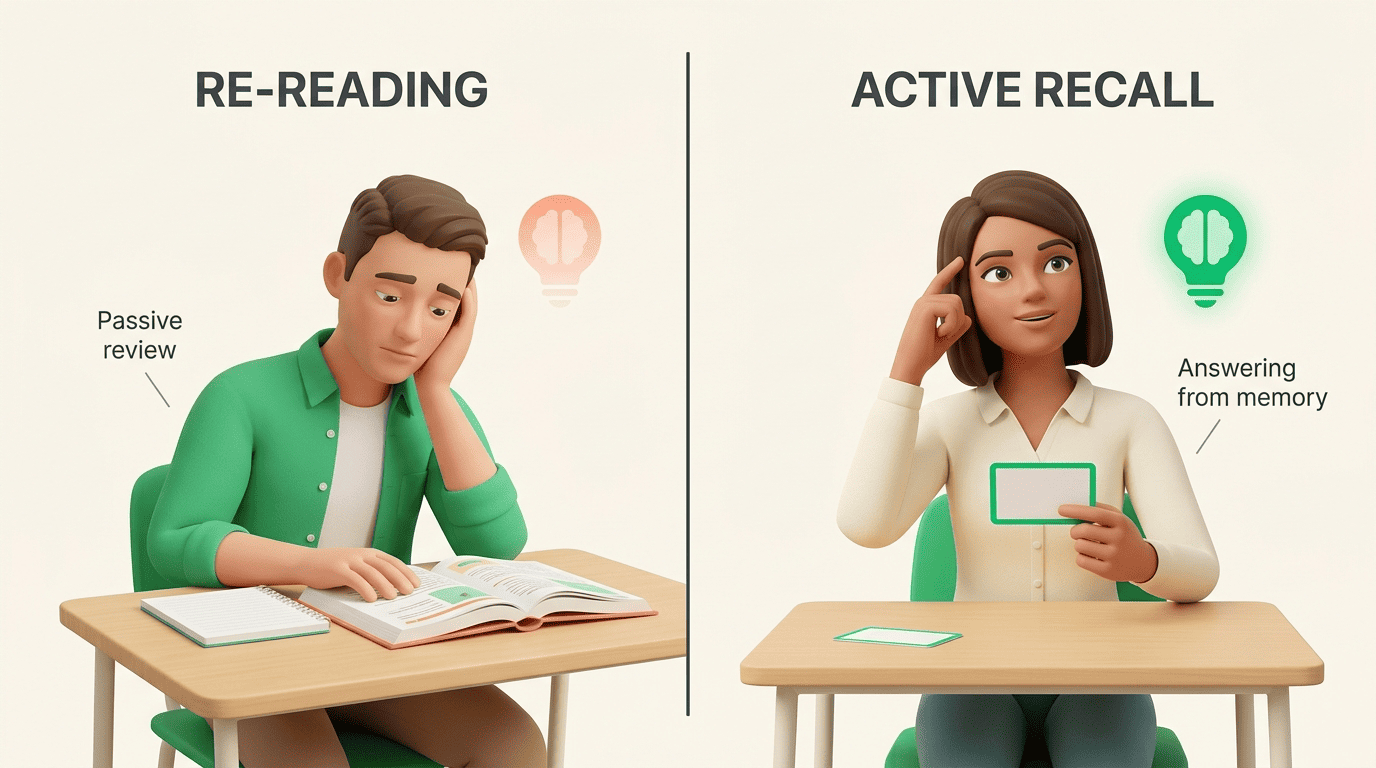
The difference between the two ways of studying is stark:
| Approach | What you do | Effect on memory |
|---|---|---|
| Passive re-reading | Read notes again | Feels easy, fades fast |
| Active recall | Retrieve answers from memory | Harder, sticks far longer |
This is not a fringe claim. Retrieval practice, also called the testing effect, is one of the most robust findings in learning research, documented by the U.S. Department of Education’s Institute of Education Sciences and in peer-reviewed work indexed by the National Institutes of Health. Cognitive scientists at Purdue University found that actively retrieving information produces more meaningful learning than repeated studying.
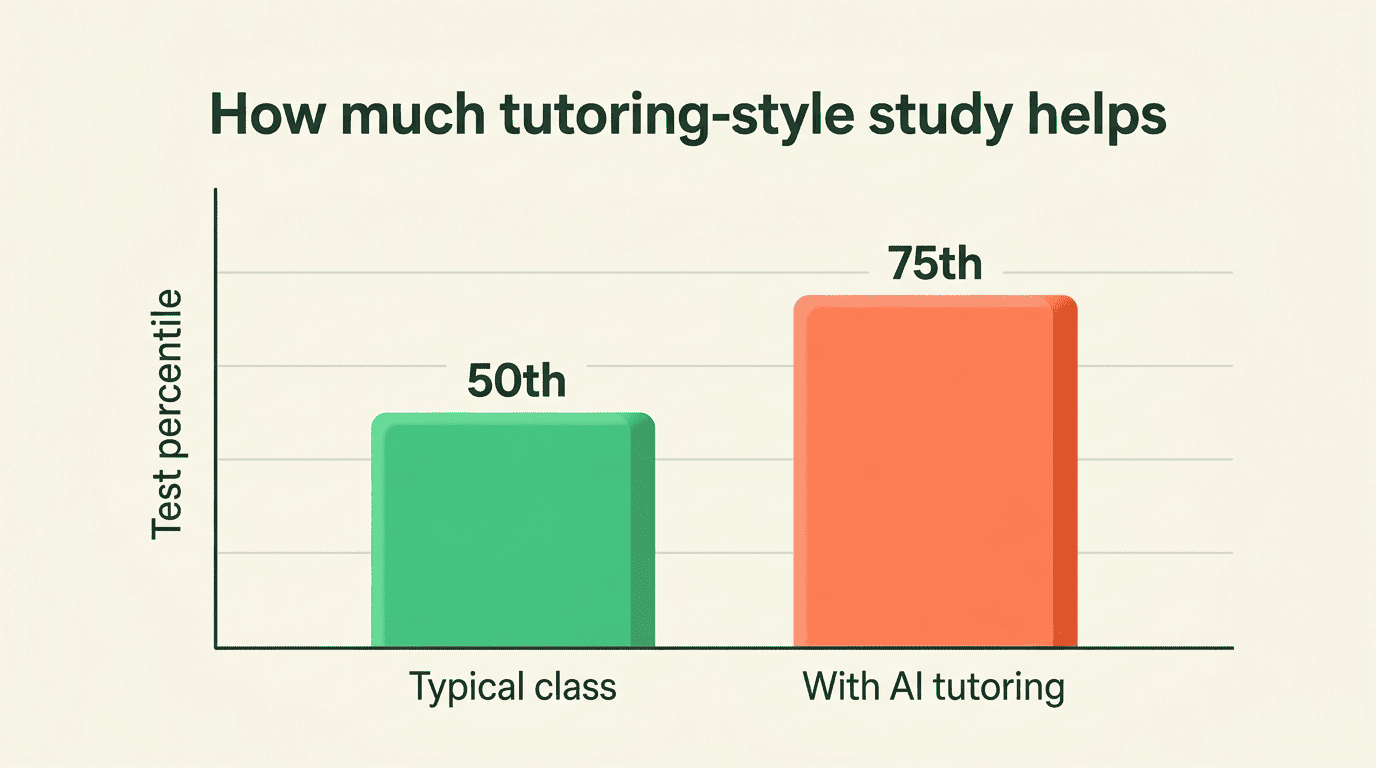
The tutoring format itself has strong evidence too. A 2015 meta-analysis of intelligent tutoring systems found a median effect size of 0.66 and reported that tutored students beat conventional classes in 46 of 50 controlled studies.
The median ES in the 50 studies was 0.66… It is roughly equivalent to an improvement in test performance from the 50th to the 75th percentile.
Kulik & Fletcher (2016), via Wikipedia
An earlier review by researcher Kurt VanLehn found no statistically significant difference in effect size between step-based tutoring systems and expert one-on-one human tutors. The takeaway: a study assistant works when it makes you retrieve and space — not when it just hands you answers to read.
Accuracy: where AI study assistants get it wrong
AI study tools are not oracles. Because they run on large language models, they can hallucinate — state a wrong fact with complete confidence. Grounding answers in your uploaded material reduces this a lot, but it does not eliminate it.
A simple discipline fixes most of the risk:
- Treat every AI answer as a first draft, not a verdict.
- Check any date, number, or definition against your textbook or slides.
- Ask the tool to show the source passage it used.
- If it cannot point to a source, do not trust the claim.
Used this way, an AI study helper speeds you up without quietly teaching you something false.
Is it cheating? Using an AI study assistant honestly
This is the question every student should ask, so let us answer it directly. An AI study assistant helps you learn and understand — it does not, and should not, do your graded work for you, and it is not a tool for cheating.
The honest line is about what you submit versus how you prepare:
- Using it to summarize a chapter, quiz yourself, or explain a hard concept is legitimate studying.
- Pasting its output into an assignment and submitting it as your own work is not.
Different schools set different rules, and those rules are what bind you. Using generative AI without proper acknowledgment can violate your institution’s academic integrity policy, so check your course guidelines, disclose AI use where required, and always do the actual retrieval yourself. The tool is guidance, not a substitute for genuine learning — the reps still have to be yours.
How to get the most out of an AI study assistant
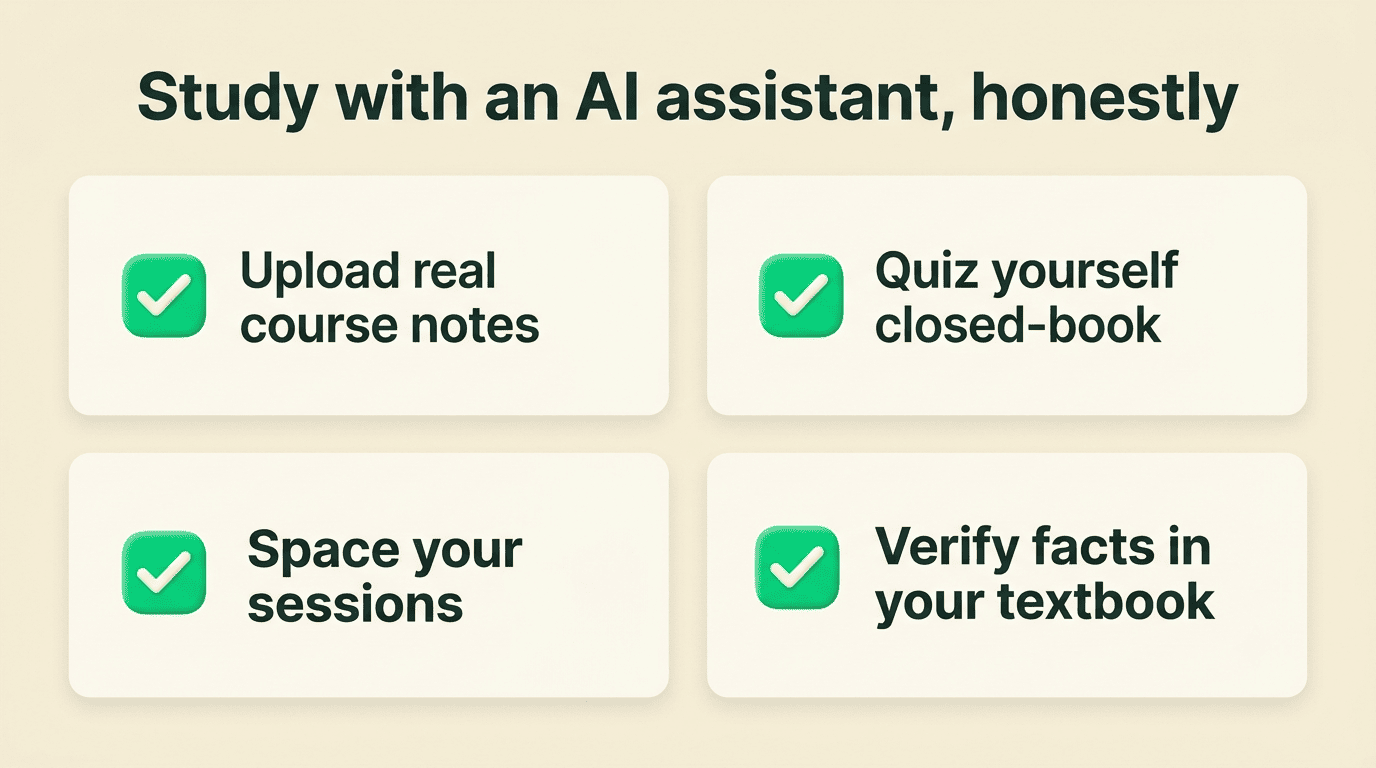
A few habits separate students who learn from an AI study tool from those who just feel busy:
- Upload real course material, not generic web text, so answers stay grounded in what your exam covers.
- Generate a quiz, then take it closed-book — the struggle is the point.
- Space your sessions across days instead of cramming; let the tool schedule the intervals.
- Explain each answer back in your own words (the Feynman technique) to catch gaps.
- Verify anything that will appear on an exam against your primary source.
Do those five things and the assistant stops being a shortcut and becomes what it is meant to be — a tutor that is always awake.