AI Study Notes and Summaries: Turn Lectures and PDFs into Notes You’ll Actually Learn From
A 60-page reading or a 75-slide lecture is rarely the real problem — the hours it takes to boil either one down are. An AI study tool reads the source and drafts structured notes and a summary in under a minute, so your time goes to learning instead of transcribing.
But an AI summary is a starting draft, not a substitute for understanding. This guide shows how the conversion actually works, which note formats to ask for, how to check accuracy, and how to study from the result — without letting the tool do the thinking for you.
From PDF or Lecture to Notes: How the Conversion Works
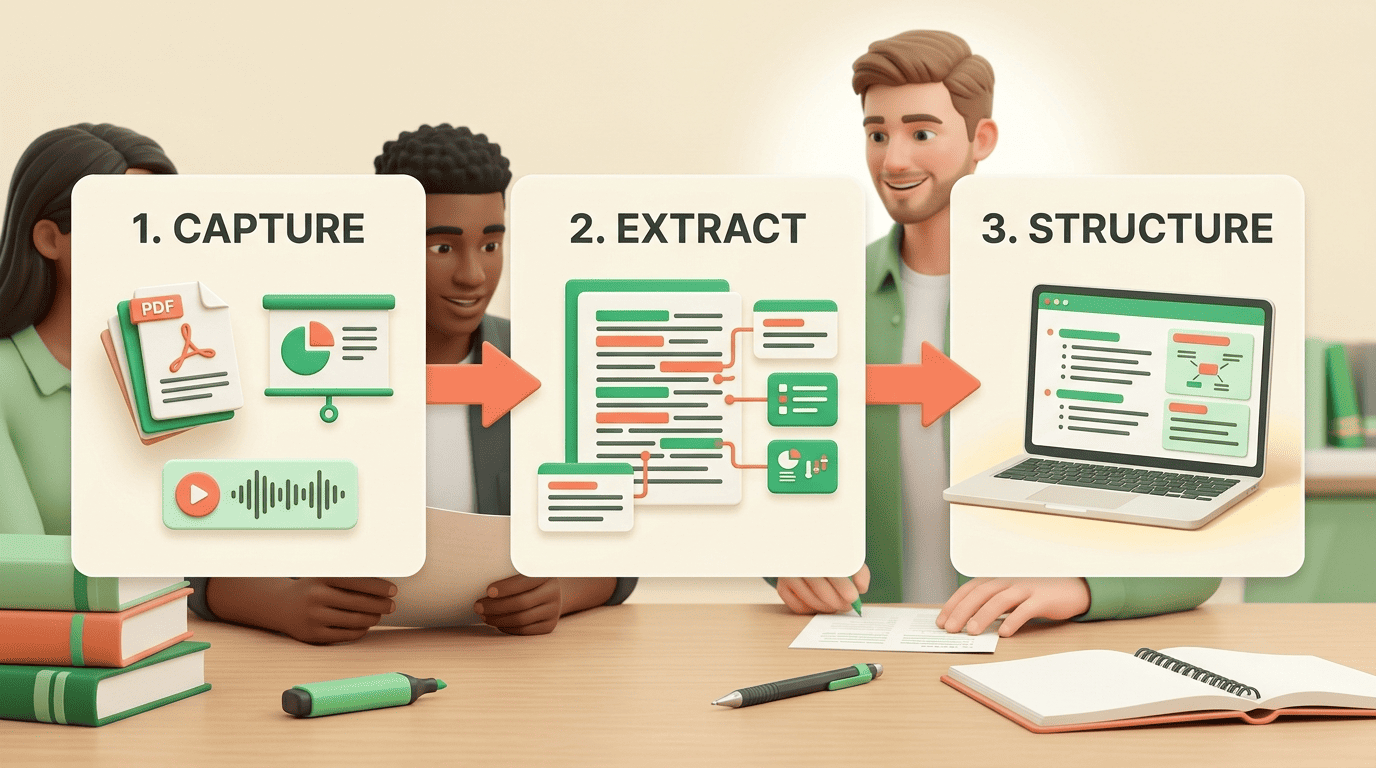
Behind a clean “upload and summarize” button sits a three-stage pipeline. Understanding it tells you where the output is reliable and where it needs a second look.
Capture, extract, structure
A text-based PDF is read directly. Scanned slides and handwritten pages first pass through optical character recognition (OCR), which converts the image of text into machine-readable characters. A recorded lecture is transcribed from audio to text before anything else happens. Only then does the model extract key concepts, definitions, and the relationships between them, and organize them into an outline.
The advantage over live note-taking is simple: the model never stops paying attention. Students miss a large share of key information when writing notes during a fast lecture, because listening, understanding, and transcribing compete for the same working memory. An AI note taker captures the full source, then compresses it — rather than sampling it in real time.
What file types work
Support is broad and fairly consistent across tools. The table below shows the input formats you can typically feed an AI study assistant and what it returns.
| Input format | Example source | Typical output |
|---|---|---|
| PDF, DOCX | Textbook chapter, essay, paper | Summary, outline notes |
| PPTX, images (JPG/PNG) | Lecture slides, handwritten pages | Structured notes via OCR |
| MP3, WAV, M4A | Recorded lecture, podcast | Transcript + summary |
| MP4, MOV | Video lecture, seminar | Notes, key-moment summary |
| YouTube link | Online lecture | Summary, flashcards |
Speed is the headline benefit. A 50-page chapter can compress to a one-page summary in under a minute, and a document of 100+ pages usually processes in two to three minutes. Work that once took roughly an hour of manual summarizing now takes the length of a coffee break.
Note and Summary Formats Worth Asking For
Not every task needs the same output. The skill is matching the format to how you will use it — triage, review, or memorization.
Summary vs. structured notes vs. flashcards
A summary condenses: it is best for deciding whether a paper is worth a full read. Structured notes organize for review: headings, key terms, and explanations laid out so you can scan them before an exam. Flashcards and quizzes convert the same material into retrieval practice — the format that actually builds memory.
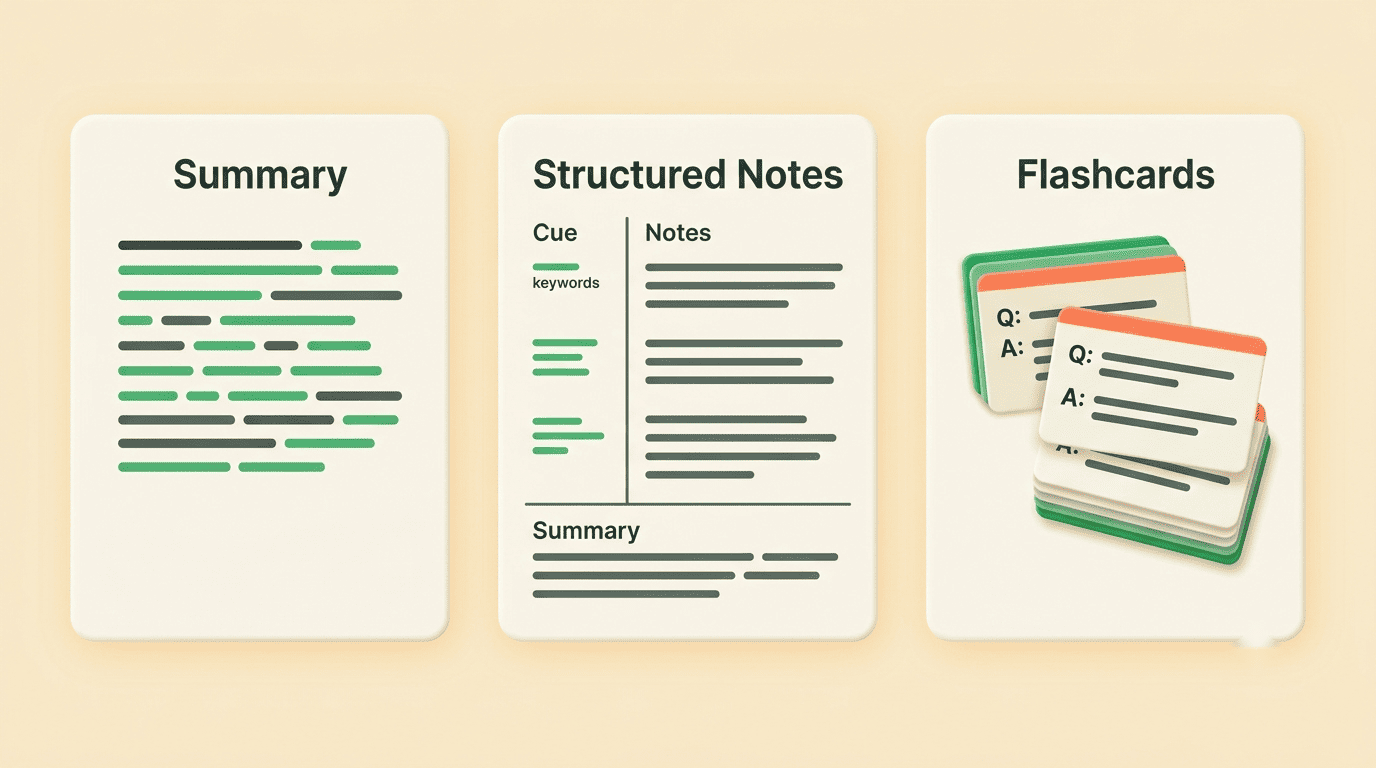
Ask for the output that matches the task. A one-paragraph abstract is enough to triage a reading list. A full outline suits a lecture you will be tested on. Flashcards suit vocabulary-heavy or definition-heavy material like anatomy, law, or a foreign language.
Cornell, outline, and mind-map layouts
The Cornell method splits the page into a cue column, a notes area, and a summary strip at the bottom. It was developed at Cornell University and is documented by the university’s Learning Strategies Center. Its structure maps almost perfectly onto what AI does well: pull key terms into the cue column, put explanations in the notes area, and generate the summary strip automatically.
Other layouts fit other subjects. A bullet outline suits sequential, procedural material. A mind map suits conceptual subjects where relationships matter more than order — think the causes of a war or the branches of a legal doctrine. Most AI study tools can output any of these on request.
Are AI Notes Accurate? How to Trust — and Verify — the Output
This is the question that separates a study aid from a liability. AI notes are strong on structure and coverage, but they are not infallible, and the failure modes are predictable enough to guard against.
Where AI summaries go wrong
Language models can compress away nuance or state a confident but incorrect detail — a so-called hallucination. The highest-risk items are always the specific ones: numbers, dates, named theorems, formulas, and cause-and-effect claims. A summary that reads smoothly can still misattribute a quote or flip a statistic. Treat the output as a first draft to check, not a final answer to trust.
A four-point verification pass
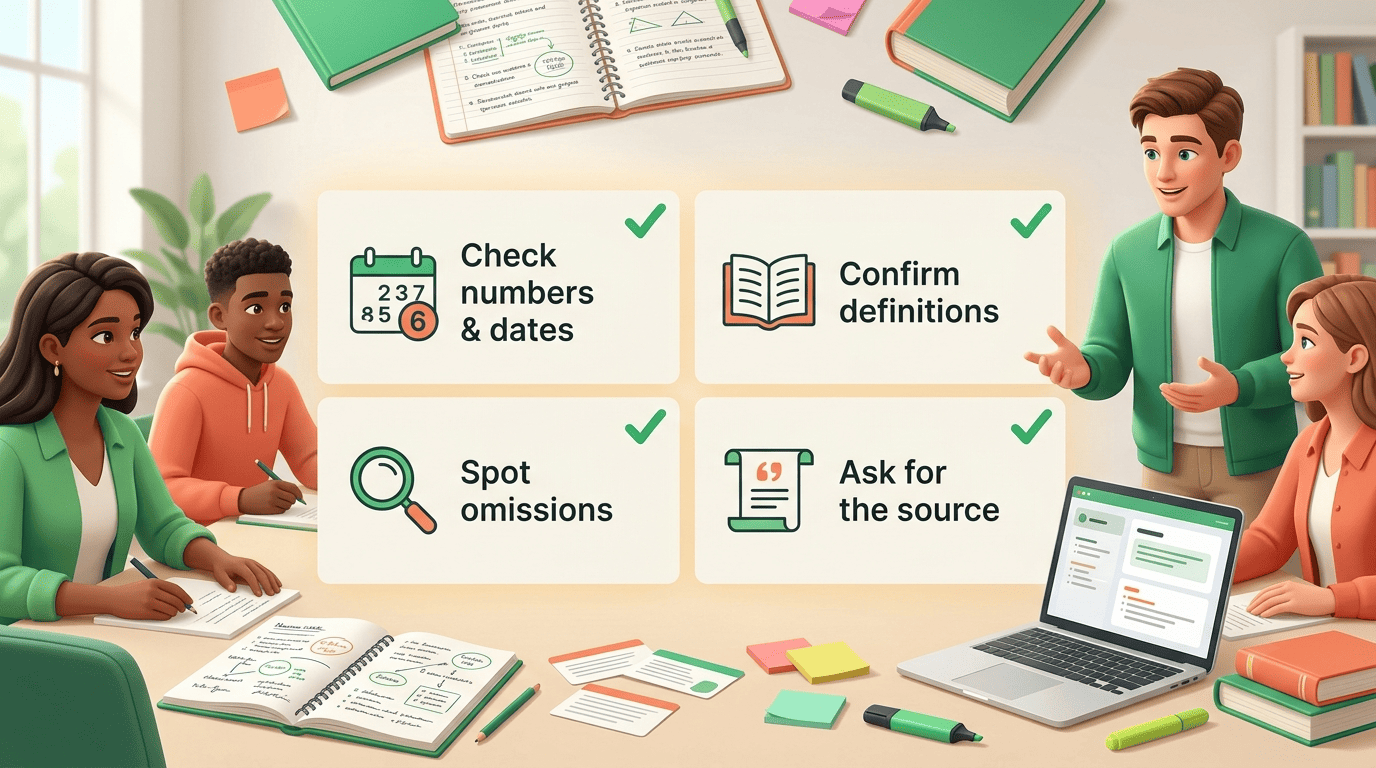
Verifying notes takes a fraction of the time it saved you. Run this pass before you rely on any AI summary:
- Spot-check every number and date against the source page.
- Confirm each key definition matches the textbook or slide wording, not a paraphrase that drifted.
- Scan for anything important your syllabus stresses that the summary skipped.
- Ask the AI tutor to point to the exact source passage for any claim you doubt.
That last step is where a question-and-answer feature over your own document earns its place: instead of trusting the summary, you interrogate the source through it.
How to Actually Learn From AI Notes (Not Just Collect Them)
The biggest trap with AI study notes is mistaking a tidy document for learning. A folder full of perfect summaries you never test yourself on is a false sense of progress.
Turn summaries into active recall
Reading a summary is passive. Testing yourself is not. Convert the notes into flashcards and a short practice quiz, then try to answer before you check. The benefit of retrieving an answer from memory rather than rereading it is one of the most robust findings in learning science, known as the testing effect. AI simply removes the busywork of building the cards, so the effort you save goes into recall instead of formatting.
Academic integrity is a commitment, even in the face of adversity, to six fundamental values: honesty, trust, fairness, respect, responsibility, and courage.
International Center for Academic Integrity
A weekly study loop
The tool pays off most inside a routine, not a cram session. A workable loop looks like this:
- Generate notes right after each lecture, while context is fresh.
- Run the four-point verification pass so errors never enter your review.
- Build flashcards from the verified notes.
- Review on a spaced schedule, spreading sessions out as the exam approaches.
Students commonly report saving several hours a week versus manual note-taking. The point is to reinvest that time in recall practice — not to summarize the same chapter three more times.
Help, Not a Shortcut: Using AI Study Notes with Integrity
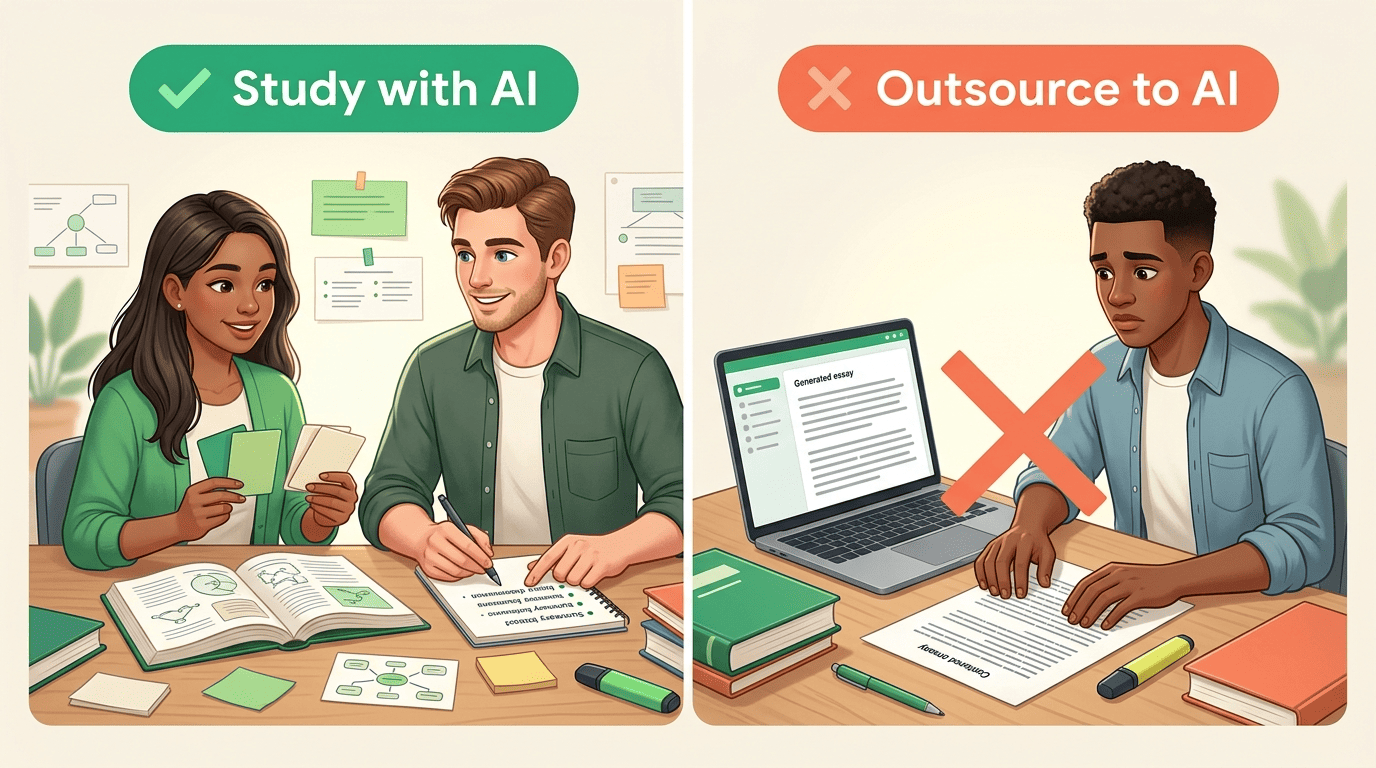
An AI study assistant is at its best when it helps you understand material faster — summarizing a dense reading, quizzing you on it, or explaining a step you are stuck on. It is at its worst when it replaces the work that is supposed to build your own skill.
The line is not always obvious, so the comparison below makes it concrete.
| Studying with AI (help) | Outsourcing to AI (misconduct) |
|---|---|
| Summarize a reading to grasp it faster | Submit an AI-written essay as your own |
| Generate flashcards, then test yourself | Have AI answer a take-home exam for you |
| Ask the tutor to explain a solved example | Paste AI output into graded homework unedited |
| Verify and rewrite notes in your words | Present AI summaries as original analysis |
An AI study tool supports learning; it does not replace your own thinking, and it should never sit an exam or write a graded assignment for you. Most institutions treat submitting AI-generated work as your own as a form of academic misconduct, so the safest rule is simple: use AI to learn the material, then produce the work yourself. When in doubt, check your course syllabus or your school’s academic-integrity policy, and ask your instructor what tools are allowed.